EBRAINS Users Metrics
Dashboard for Users
For services that support authentication via the EBRAINS IAM service using EBRAINS accounts, a dedicated dashboard is available to monitor authenticated user activity. This dashboard provides a concise overview of usage originating from logged-in users, presenting aggregated metrics such as the total number of authenticated users and visits.
Prerequisites
The OIDC client name registered in the EBRAINS IAM and associated with the service must be known, in order to correctly identify and attribute authenticated usage data for the specific service.
Prompts
| No | Prompt | Description |
|---|---|---|
| 1 | Service | Select the OIDC client associated with the specific service. If set to All, data for all OIDC clients is displayed |
| 2 | Time Range | Define the time range for which the dashboard will display data |
Note: If no Service filter is provided, this indicates that the service is associated with a single OIDC client. The Service filter is available only for services where the OIDC client has changed over time or where the service consists of multiple environments using different clients.
Note: Data are available for the period starting from 2024-01-01 up to the day preceding the current date. The selected time range must fall within this interval for results to be displayed.
Sections
Users Analysis
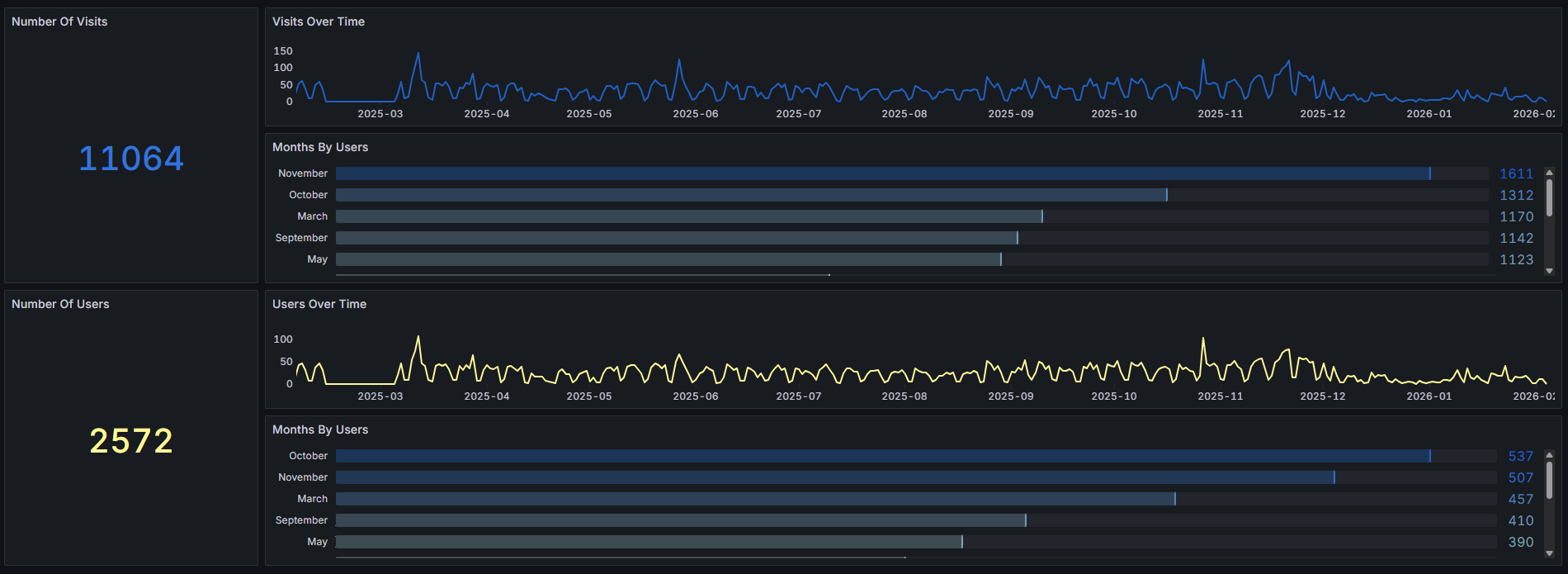
| No | Frame | Description |
|---|---|---|
| 1 | Number Of Visits | Displays the total number of visits by authenticated EBRAINS users based on the applied filters |
| 2 | Visits Over Time | Displays the number of visits by authenticated EBRAINS users over time based on the applied filters |
| 3 | Number Of Users | Displays the total number of authenticated EBRAINS users based on the applied filters |
| 4 | Users Over Time | Displays the number of authenticated EBRAINS users over time based on the applied filters |